
Best Gaming Mouse in 2026: 6 Wireless Picks from $35 to $160
The best gaming mice in 2026 compared: Logitech G Pro X Superlight 2, Razer Viper V3 HyperSpeed, G305, G502 X Plus, Zowie FK2-DW and G309, with prices and how to choose.

In this article (0 sections)
Updated October 2026. Prices were checked at B&H Photo on October 12, 2026 and change often.
A good gaming mouse matters more than most upgrades: it is the thing you touch every second you play. The right one depends on what you play and how you hold it. Below are six wireless gaming mice that cover every budget and play style, from a $35 classic to esports-grade pointers.
Quick answer
Best overall: Logitech G Pro X Superlight 2 ($159.99).
Best value: Razer Viper V3 HyperSpeed ($69.99).
Best budget: Logitech G305 ($34.99 on sale).
Best for MMOs: Logitech G502 X Plus (13 programmable controls).
Gaming Mice Compared
| Mouse | Price | Sensor | Buttons | Polling | Connection |
|---|---|---|---|---|---|
| Logitech G Pro X Superlight 2 | $159.99 | HERO 2, up to 32,000 dpi | — | — | Lightspeed, USB |
| Razer Viper V3 HyperSpeed | $69.99 | Up to 30,000 dpi | 6 | 1,000 Hz | HyperSpeed 2.4 GHz |
| Logitech G305 | $34.99 (sale) | HERO, 12,000 dpi | 6 | 1,000 Hz | Lightspeed 2.4 GHz |
| Logitech G502 X Plus | $159.99 | HERO 25K, 25,600 dpi | 13 | — | Lightspeed |
| BenQ Zowie FK2-DW | $149.99 | Up to 3,200 dpi | 7 | Up to 4,000 Hz | 2.4 GHz |
| Logitech G309 | $59.99 (sale) | HERO, up to 25,600 dpi | 6 | — | Lightspeed and Bluetooth |
Specs as listed by B&H. A dash means the listing didn't state it.
1. Logitech G Pro X Superlight 2: Best Overall
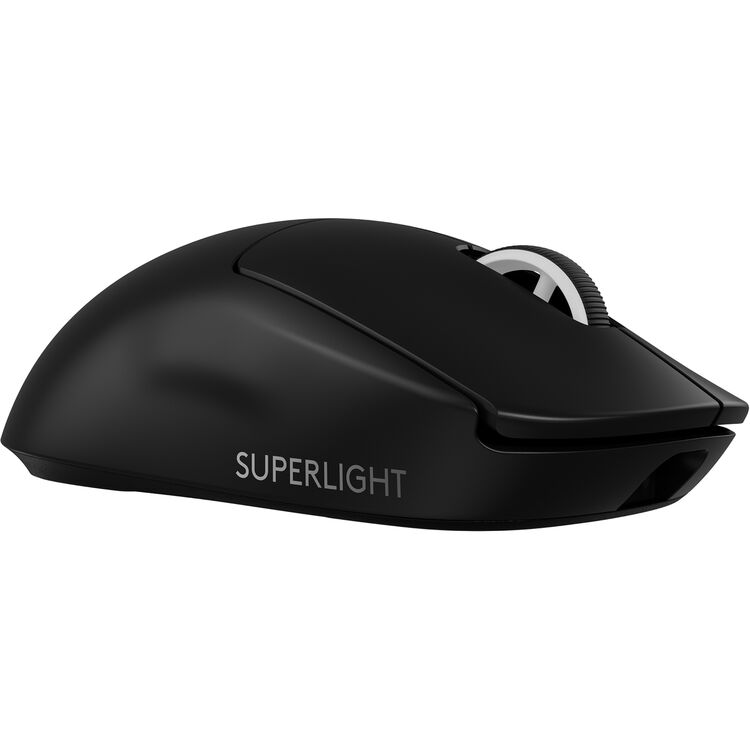
The Superlight 2 is one of the most popular mice among competitive players: a light, simple shape with Logitech's HERO 2 sensor (up to 32,000 dpi) and Lightspeed wireless. There is no RGB and only a few buttons, which is exactly the point.
Pros
- Light and fast for shooters
- Excellent wireless
- Simple, safe shape
Cons
- Expensive
- Few buttons for MMOs
Check the G Pro X Superlight 2 at B&H
2. Razer Viper V3 HyperSpeed: Best Value
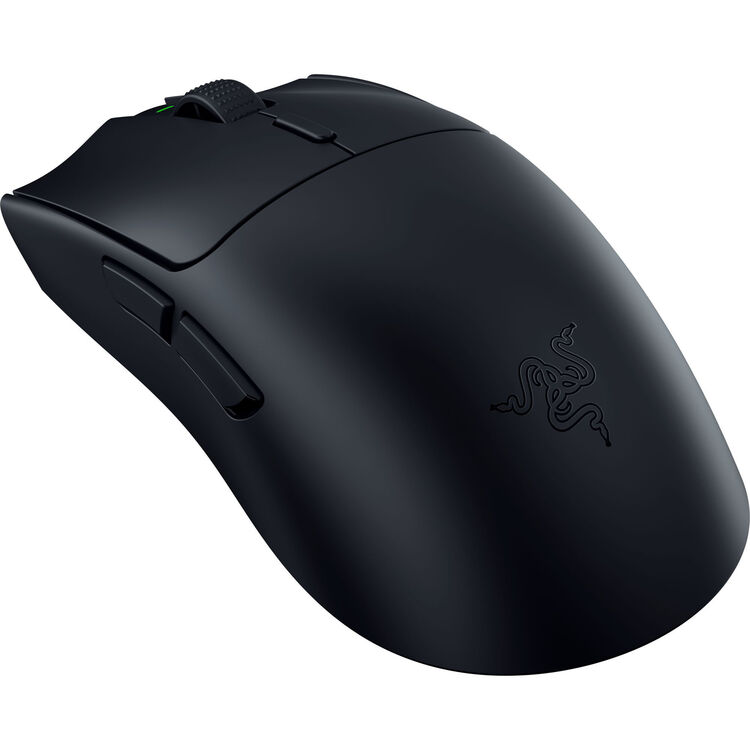
For $69.99 you get Razer's HyperSpeed wireless, a 30,000 dpi optical sensor, 6 programmable buttons and 1,000 Hz polling. It covers 90% of what the expensive mice do at less than half the price.
Pros
- Great price for the sensor
- Shooter-friendly shape
- 6 programmable buttons
Cons
- Not as light as the Superlight 2
- Razer Synapse needed for tuning
Check the Viper V3 HyperSpeed at B&H
3. Logitech G305: Best Budget
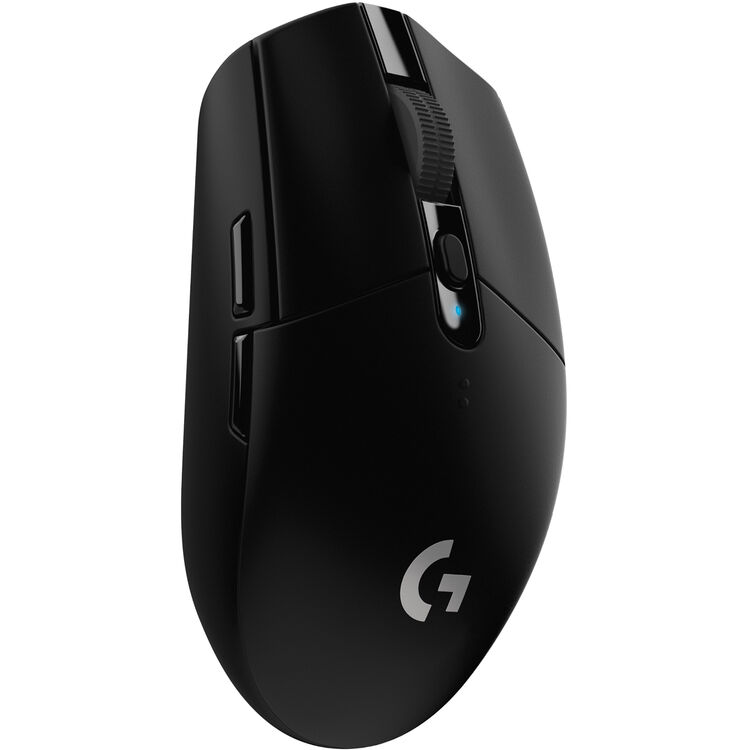
The G305 has been the default budget recommendation for years for a reason: Lightspeed wireless, a 12,000 dpi HERO sensor and 1,000 Hz polling, on sale for $34.99. It runs on a single AA battery, so you never wait for it to charge.
Pros
- Very cheap
- Proven, reliable wireless
- Long battery life
Cons
- Basic shape and buttons
- AA battery adds a little weight
4. Logitech G502 X Plus: Best for MMOs and Strategy
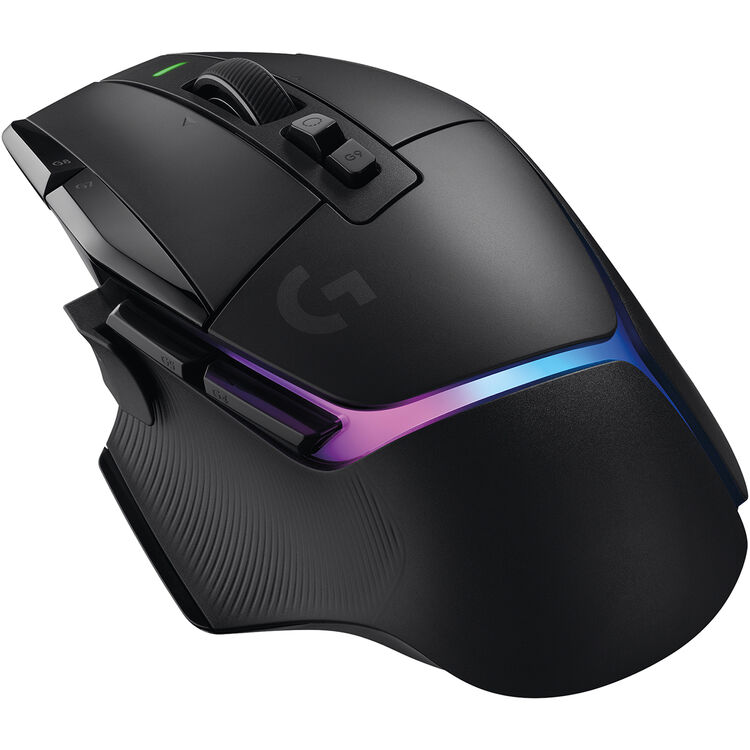
If you play MMOs, strategy games or use lots of macros, buttons matter more than weight. The G502 X Plus has 13 programmable controls, Logitech's hybrid LIGHTFORCE switches, a 25,600 dpi HERO 25K sensor and RGB lighting.
Pros
- Tons of buttons
- Comfortable for long sessions
- RGB if you want it
Cons
- Heavy compared with shooter mice
- Expensive
5. BenQ Zowie FK2-DW: Best for Esports
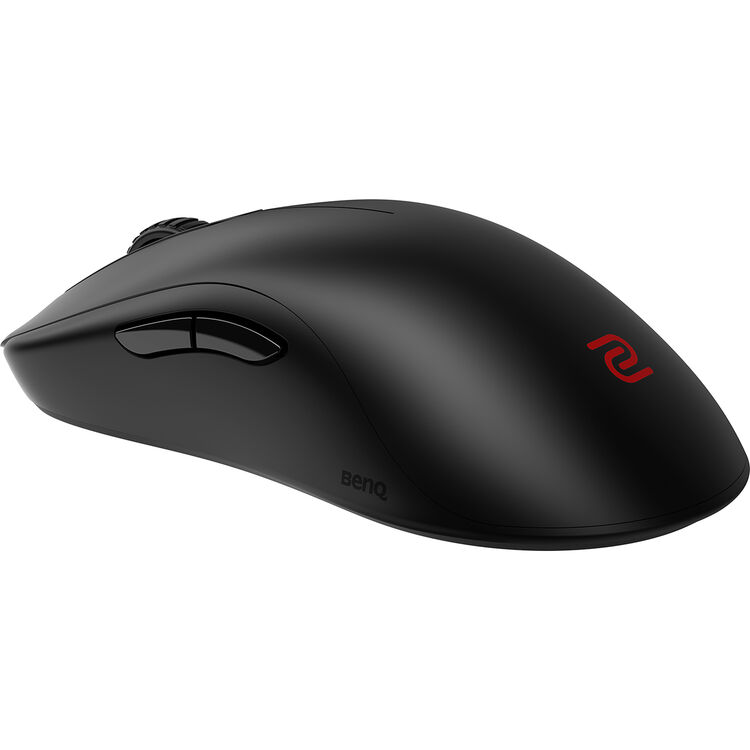
Zowie mice are favourites in Counter-Strike circles for their simple, no-software design. The FK2-DW is a wireless version of the low, ambidextrous FK shape with up to 4,000 Hz polling and 7 buttons. Its sensor tops out at 3,200 dpi, which is more than most pros use anyway.
Pros
- Up to 4,000 Hz polling
- Ambidextrous shape
- Plug-and-play
Cons
- Special order at B&H
- Low max dpi on paper
6. Logitech G309: Best for Laptops
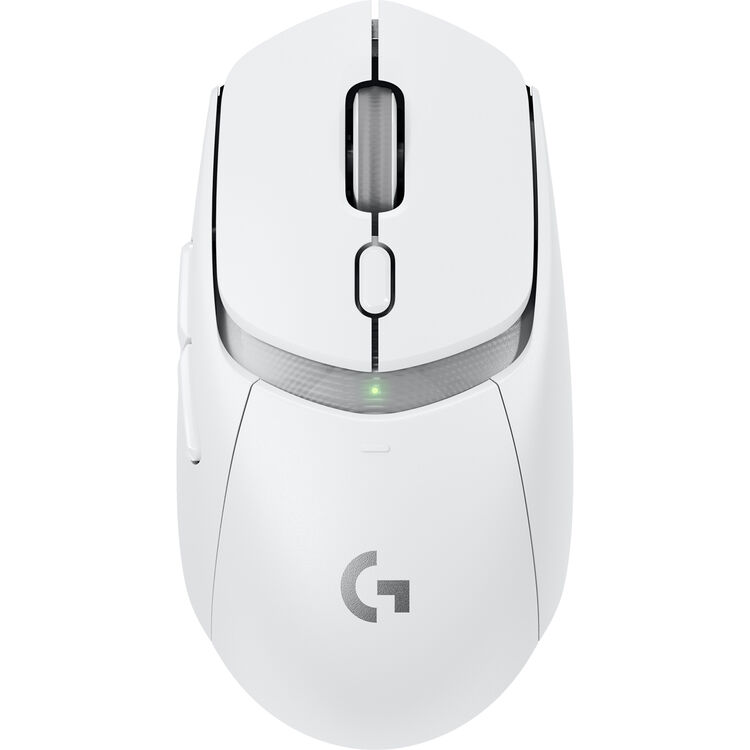
The G309 connects over Lightspeed for gaming or Bluetooth for a laptop on the go, and Logitech rates it at more than 300 hours on Lightspeed. At $59.99 on sale it is a great all-rounder for people who game and work on the same machine.
Pros
- Bluetooth and Lightspeed
- Very long battery life
- Cheap on sale
Cons
- Only 6 buttons
- Basic shape
How to Choose a Gaming Mouse
Shape and grip first
Palm grip players usually prefer bigger, humped mice like the G502; claw and fingertip grip players do better with smaller, flatter mice like the Superlight 2 or Zowie FK2-DW. If you can, try a shape before you buy.
Weight
Lighter mice are easier to flick in shooters. For MMOs and productivity, a bit of weight and more buttons can feel better.
Sensor and polling
Every mouse here has a sensor that is more than accurate enough. Most players use 400 to 1,600 dpi, so 30,000 dpi is marketing. Higher polling (like 4,000 Hz) is a small extra for competitive players with high-refresh monitors.
Wireless is fine now
Modern 2.4 GHz gaming wireless (Lightspeed, HyperSpeed) is as responsive as a cable. Avoid Bluetooth for gaming, but it's handy for laptops.
Need a keyboard too? See our best wireless keyboard and mouse pairs.
Frequently Asked Questions
QWhat is the best gaming mouse in 2026?
Our top pick is the Logitech G Pro X Superlight 2. On a budget, the Logitech G305 and Razer Viper V3 HyperSpeed are great value.
QIs a wireless gaming mouse good for gaming?
Yes. Modern 2.4 GHz wireless like Logitech Lightspeed and Razer HyperSpeed has no noticeable delay. Just avoid Bluetooth for competitive games.
QHow much dpi do I need?
Most players use between 400 and 1,600 dpi. Every mouse in this list goes far above that.
QWhat is the best mouse for MMOs?
The Logitech G502 X Plus, thanks to its 13 programmable controls.
QDoes polling rate matter?
A little, for competitive players. 1,000 Hz is plenty for most; 4,000 Hz like on the Zowie FK2-DW is a small extra.
Kai Mercer covers game news, free games, release calendars and guides for xGamerss.
More from Kai Mercer →
Comments (0)
No comments yet. Be the first!
Sign in or create an account to earn karma — or comment as a guest.